 Live AI workshop with Navid
Build your own AI Operating System (AI OS) and automate your content workflows
Build your own AI Operating System (AI OS) and
Your AI OS is the layer underneath every AI tool you use. It knows your voice, your offers, and your customers, it is wired into the tools you already pay for, and it keeps working while you are asleep.
In this live AI OS Workshop you build yours with me, from an empty folder to a working system, in a single session.
Reserve your seat. Confirm payment on the next step.



 HeyGen
 ElevenLabs
 Higgsfield
 Midjourney
 OpenArt
 Magnific
 Gemini
 ChatGPT
 Claude
Trusted by creators & founders from ambitious brands















Why you need to build
your own AI OS in 2026
If we haven't met before… hey, my name's Navid 👋
I'm an AI Business Strategist and AI OS Builder, and I help creators and founders build their own AI Operating System (AI OS).
An AI OS is a single connected setup that runs your business and your life on AI, instead of a pile of disconnected tools. Your context, your data, your agents and your workflows live in one system, so the work keeps running without you starting it.
It writes your posts, drafts your emails, builds your landing pages, runs your launch checklists, and so much more... all connected to every other tool you already use.
I'm hosting the AI OS Workshop because this is what I wish I had when I started using Claude Code and other AI agent tools to automate my business and life.
And it's quite an understatement to say I'm a power user of Claude Code...
Here's what 2 months of that looks like:
I'm not the only one. Smart creators and founders run their AI OS to write their newsletters, post their content, build their sites, run their launches, and create custom tools for their audience.
I built my entire business on mine… and I even replaced Kit, ThriveCart, WordPress (or any funnel builder like ClickFunnels / High Level), Circle/Skool, and pretty much every legacy tool I used.
Everything you see on this page was built by me with my own AI OS. No tech team. No developers.
You don't need to know how to code. You need to know how to set it up.
Learning Claude Code and building your own AI Operating System (AI OS) in 2026 is like buying Bitcoin in 2016 or 2017.
Don't miss out on this once-in-a-lifetime opportunity (again).
The ones winning right now aren't using AI. They're running their entire business through it.
That's what the AI OS Workshop gives you. Not another AI course. Your own AI OS.
What's included in
the AI OS Workshop?
The AI OS Workshop is a live session where you build the system that sits underneath every AI tool you use, from an empty folder to something that actually runs your business.
By the end of the workshop your AI OS knows who you are, who you serve, how you write, and what you sell, and it can act on all of it inside the tools you already pay for.
Bring the part of your business you most want off your plate to the Q&A, and you leave with an answer built around your setup rather than a generic one.

 Live workshop
Live AI OS Workshop
The AI OS Workshop is a 2-hour live session with me where you go from an empty folder to a working AI Operating System before the session ends.
Here's what the workshop covers, live and in real time:
- Set up your AI OS workspace in the first 15 minutes
- Write your business down in a form AI can actually read
- Capture your voice so everything sounds like you
- Connect your AI OS to the tools you already pay for
- Run your first real workflows on your own system
Note: Your seat is yours the moment you reserve today. You get the recording in the learning platform with lifetime access, so you can join live or watch it back whenever it suits you.
 Live Q&A
Live AI OS Q&A with Navid
The Live Q&A is a dedicated segment inside the AI OS Workshop where I answer your specific questions in real time, with screen share.
Bring the part of your business you most want the system to take over. You walk away with an answer built around your business, not generic advice.
I've spent two years building and running my own AI OS, so every answer is grounded in a system that is actually in production rather than in theory.
Note: The Live Q&A is included in the workshop recording. You get lifetime access in the learning platform.
Bonus AI OS Workshop resources
Aside from the live AI OS Workshop and the Q&A with me, you also get special bonuses to enhance your experience even more...
Claude Codev2.1.138AI OS Workspace Template & Guide
This is the complete AI OS Workspace Template I run my entire business on, the same structure behind every workflow I use day to day.
You get the context and voice files, the folders for templates, assets, projects, daily notes and outputs, and the essential starter skills and plugins. All of it loads automatically at the start of every session.
Clone it, fill in your own context, and your AI becomes the brain of your business rather than a blank page you re-explain yourself to.
It comes with a written guide and a video walkthrough that show you exactly how to install the workspace on your own setup.
Note: The AI OS Workspace Template is available when the workshop kicks off, with lifetime access in the learning platform.
 /youtube-research✓
 /x-thread✓/newsletter-writer✓/voice-check✓/repurpose✓/research✓/content-brief✓/hook-generator
AI OS Skills & Prompts Starter Pack
The AI OS Skills & Prompts Starter Pack is every skill and prompt I run live during the workshop, ready to install on your own system right after the session.
Each skill is curated around the workflows covered live, so what lands in your Starter Pack maps directly onto what you just watched run, rather than a generic library that may or may not fit your business.
Install the pack into your AI OS Workspace and run the same one-command workflows on your own content, launches, and operations from day one.
Note: Every skill covered live during the AI OS Workshop is available in the learning platform together with the workshop recording. Lifetime access is included, so you can reinstall on any new setup, anytime.

AI OS Workshop Vault
Get the full AI OS Workshop and Q&A as audio files, searchable transcripts, and detailed action guides.
Watching the video is only one way to absorb a workshop. The audio lets you listen anywhere, the transcript makes every word searchable, and the action guide breaks the session into clear next steps.
Revisit the workshop anytime, follow along at your own pace, and implement what you learned without rewatching hours of video.

Workshop Audio
Download the MP3 of the workshop so you can listen on the go.
Workshop Transcript
Full text transcript so you can search, scan, and reference quickly.
Action Guide
Step-by-step implementation guide to help you take action on what you learned.
Note: The AI OS Workshop Vault is available in the learning platform after the workshop wraps up, with lifetime access.
How do I know if the AI OS Workshop
is right for me?
Not everyone is the right fit for the AI OS Workshop... and that's a good thing.
AI OS Workshop
is for you if…
You’re a creator, founder, or expert who wants your content to actually drive sales, not just likes.
You want a repeatable content system instead of starting from a blank page every day.
You’re done with surface-level AI tips – you want a structured system that works.
You’re an action-taker – here to build your system live, not just watch tutorials.
You care about content that scales, an audience that sticks, and systems that save you time.
AI OS Workshop
is not for you if…
You’re chasing shortcuts and viral hacks without building a real system.
You’d rather keep experimenting with random tools than follow a proven framework.
You think buying a workshop equals results, without showing up and implementing.
You’re unwilling to publish or share content in any form.
You expect a tutorial for every AI tool – this workshop focuses on the system and the tools we actually use.
Live AI workshop with NavidReserve your AI OS Workshop seat
Reserve your seat for the upcoming live workshop with me and walk out with your own AI Operating System running on your own machine.
Reserve your seat. Confirm payment on the next step.
Why creators just like you
love my AI products
Don't just take my word for it, listen to 100's of others…
 Who's behind this
Meet your instructor
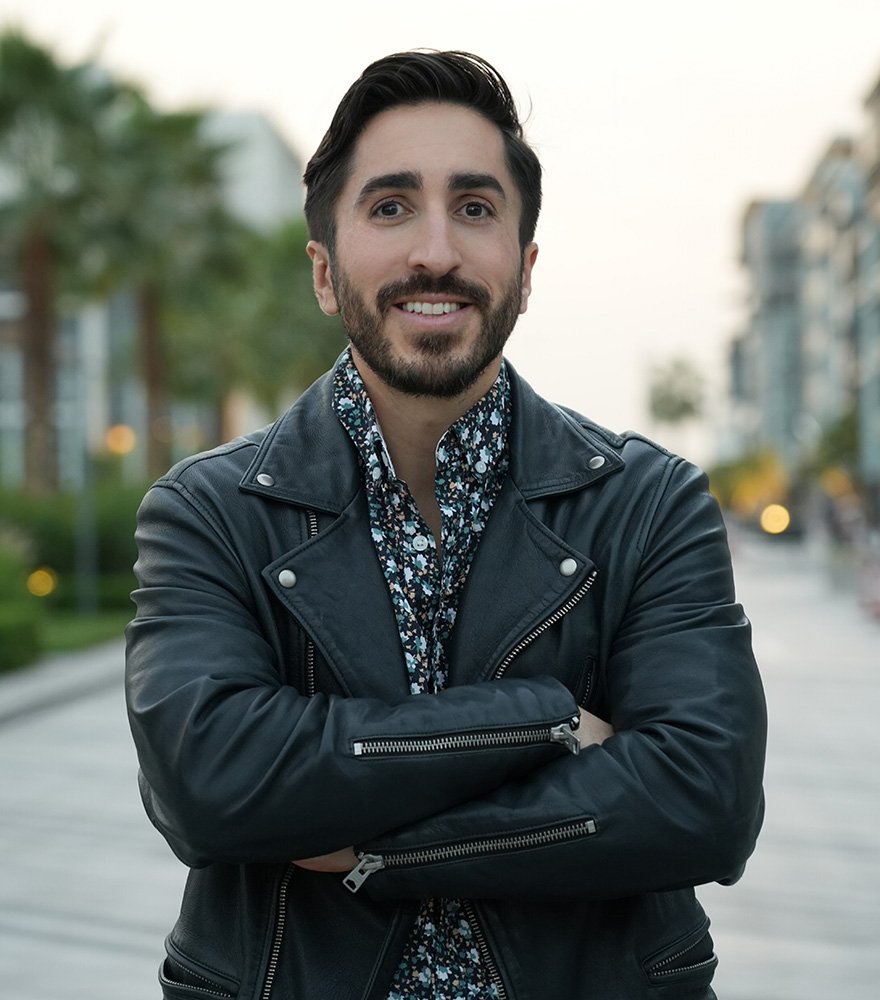
Navid Moazzez
AI Business Strategist & AI OS Builder
I'm Navid Moazzez, the founder of Navid Media, creator of AI Creator OS, and host of the AI Creator Summit, watched by 100,000+ creators.
I help creators and founders build their own AI Operating System (AI OS). The same system that transformed my own business and life now lets me do the work of more than 10 full-time employees by myself, every single day.
I'm a lifestyle entrepreneur and global citizen. I've lived in 16+ countries, traveled to over 50, and hold permanent residency in Panama. Outside of business, I'm deeply into sports, longevity, adventure, lifelong learning, and reading.
FAQs about AI OS Workshop
Here are the most common questions about AI OS Workshop answered for you.
If you have a different question, click the chat icon at the bottom right of this page.
Live AI workshop with NavidJoin the AI OS Workshop
Build the AI Operating System that runs your content, your launches, and your daily operations, live with me.
Walk out with a working system wired to your voice and your business.
Reserve your seat. Confirm payment on the next step.